
Launching a website for your business can feel like a lot — there’s the domain, the hosting, the pages, the photos, the copy, and a dozen technical words nobody explained. It’s easy to either freeze up or rush online with half of it missing.
So here’s a plain-English checklist. Work through it before you launch and you’ll avoid the scramble — and the awkward fixes after go-live. It’s written for Cebu and Philippine businesses, but it works wherever you are.
1. The foundations (sort these first)
Before a single page is designed, get these in place. They shape everything else.
- A clear goal. What should the site actually do — get enquiries, take bookings, sell products, or simply look credible? One primary goal keeps the whole site focused.
- Your domain name. Ideally your business name, short and easy to spell. A
.comis still the safest choice;.phworks well for a clearly local business. - Hosting. Where your site lives. Fast, reliable hosting matters more than people think — it affects speed and trust. (Not sure how domain and hosting differ or cost? See our website cost guide.)
- Your platform. Decide where you’re building — we always recommend WordPress so you own it. Here’s why WordPress over Wix or Squarespace.
- Your branding. At minimum, a logo and two or three brand colours. Consistency here is what makes a small business look established.
2. The pages you actually need
Most small businesses don’t need a big site — they need a clear one. Four to six pages usually does the job:
- Home — who you are and what you do, in the first five seconds.
- About — the story and the people; this builds trust more than you’d expect.
- Services or Products — what you offer, clearly, with prices if you can.
- Portfolio, gallery, or testimonials — proof that you’re good at it.
- Contact — an easy way to reach you: form, email, phone, map, and hours.
You can always add more later. Launch with the essentials rather than waiting until a ten-page site is “perfect.”
3. Your content and visuals
This is the part that quietly delays most launches — the design is ready, but the words and images aren’t. Prepare these early:
- Your copy — the actual text for each page. Write it the way you’d explain your business to a friend: clear, warm, no jargon.
- Real photos — of your work, your products, your space, or your team. Real images beat stock every time. If you’re selling products, this matters even more — here’s why professional product photos are worth it.
- Your details — business name, address, phone, email, and opening hours, spelled exactly the same everywhere (this helps local SEO too).
- Social links — the accounts you actually keep active.
4. The technical essentials
You don’t need to understand all of these deeply — but they do need to be handled (a good studio takes care of them for you):
- Mobile-friendly design — most of your visitors in the Philippines are on a phone. Non-negotiable.
- Fast loading — slow sites lose visitors before they ever see your work.
- An SSL certificate — the padlock and
https://. Free, essential, and expected. - Basic SEO — page titles, descriptions, and sensible headings so Google understands each page.
- Analytics — so you can see how many people visit and what they do.
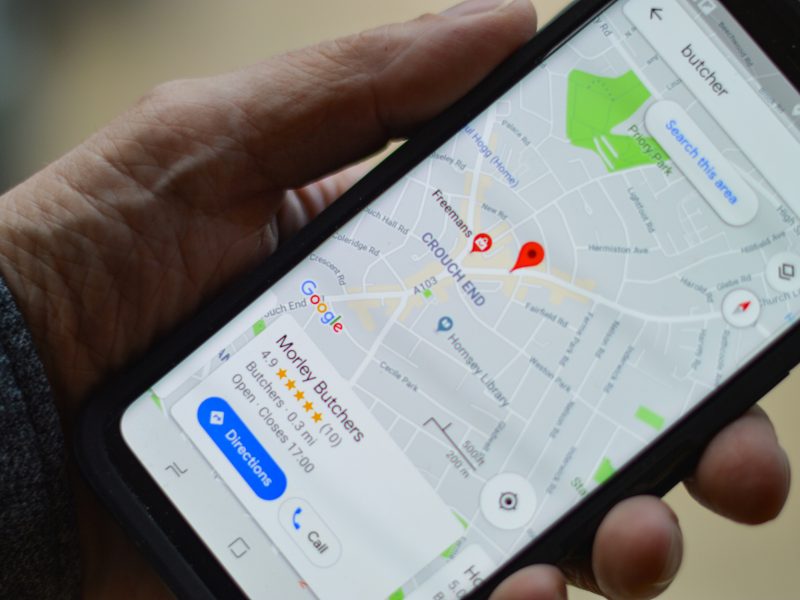
- A Google Business Profile — vital for showing up in local Cebu searches and on Maps.
5. Before you hit publish
The final once-over. Five minutes here saves an embarrassing fix later:
- Proofread every page — typos undo a lot of polish.
- Click every link and button; make sure nothing is broken.
- Send a test through your contact form and confirm it arrives.
- Check it on a phone, not just a laptop.
- Confirm your contact details are correct and identical everywhere.
- Add a favicon (the little icon in the browser tab) — a small touch that looks professional.
6. Just after launch
Going live isn’t the finish line. In the first week: submit your site to Google Search Console so it gets found, share it on your social channels, add the link to your Instagram bio and email signature, and keep an eye on analytics. A website is something you feed a little, not a “set and forget.”
Feeling like it’s a lot? It doesn’t have to be.
Here’s the shortcut: most of this checklist is handled for you when you start with a ready-made template. Our Launch Package covers the domain, hosting, mobile-ready design, SSL, and the technical setup — you focus on your content and photos, and we take it live. When you want something more tailored, our custom web design covers the whole list from strategy to launch, and we can shoot the photography to match.
The bottom line
A good launch isn’t about doing everything at once — it’s about not skipping the essentials. Get the foundations, the core pages, your real content, and the technical basics right, and you’ll launch a site that works from day one. You can always grow it from there.
Frequently asked questions
What do I need before building a business website?
Start with a clear goal for the site, a domain name, hosting, and your platform choice. Then prepare your branding, the copy for each page, real photos, and your business details. With those ready, the build goes smoothly.
How many pages does a small business website need?
Usually four to six: Home, About, Services or Products, some form of proof such as a portfolio or testimonials, and Contact. It’s better to launch a clear, focused site than to wait for a large one to be perfect.
Do I need professional photos for my website?
Real photos of your work, products, space, or team almost always outperform stock images and make a brand look trustworthy. For product-based businesses especially, professional photography is one of the highest-return investments you can make.
What’s the difference between a domain and hosting?
Your domain is your address (yourbusiness.com) and hosting is the space where the website’s files actually live. You need both, and they’re usually paid yearly. Many packages, including ours, bundle the first year of each.
How long does it take to launch a business website?
If your content and photos are ready, a template-based site can go live in days. A fully custom website usually takes a few weeks, depending on the number of pages and features.
Planning your launch and want a hand with the checklist? Send us a note — no forms, no funnels — tell us about your business and we’ll help you get online right.